Create a single source of truth for your engineering notes
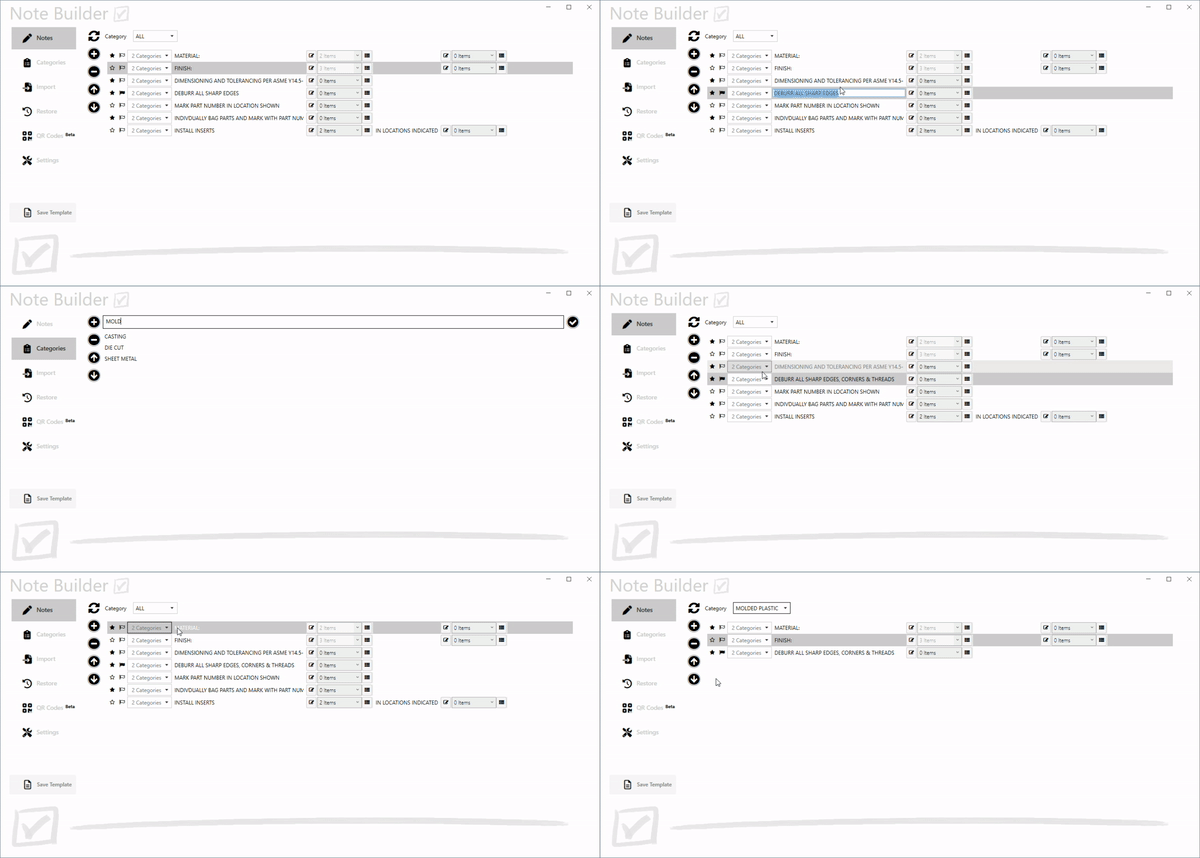
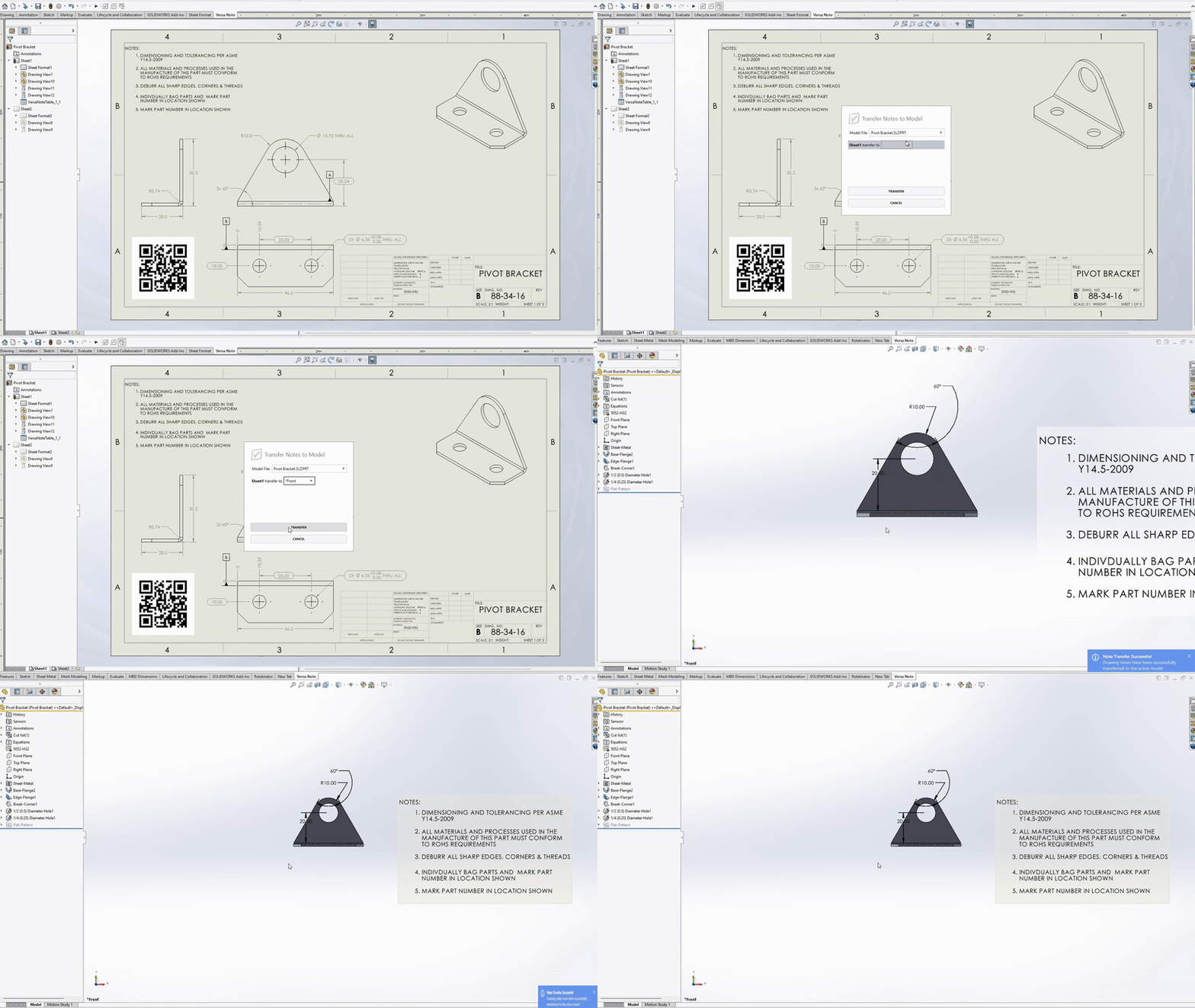
With centralized administration, CAD managers or engineering leads can easily define the standard notes available to all users. No more searching for notes scattered throughout your Design Library or copying notes from old drawings, perpetuating errors of the past — all note content is centrally managed and updates are instantly reflected in SolidWorks for all users, ensuring company-wide consistency.
Organize notes based on part type, manufacturing process – whatever suits your business
Use categories to group notes that are commonly applied to specific component or assembly types. Whether designing a simple bracket or a complex geartrain, categories allow designers to select from relevant notes for the specific context. Control which notes are selected by default, which are optional and share common notes between categories.
Allow users to apply standardized notes with intelligent configurability
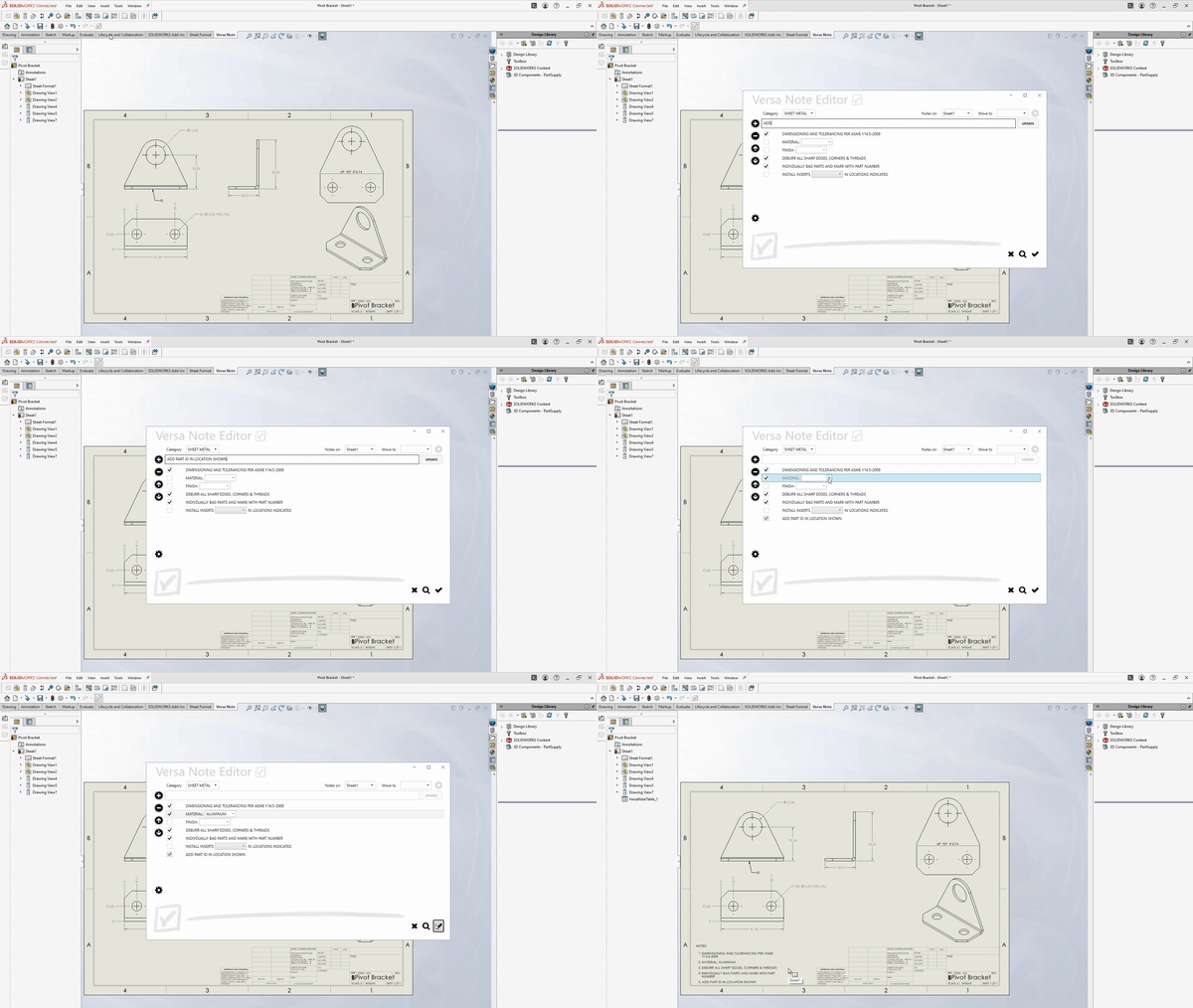
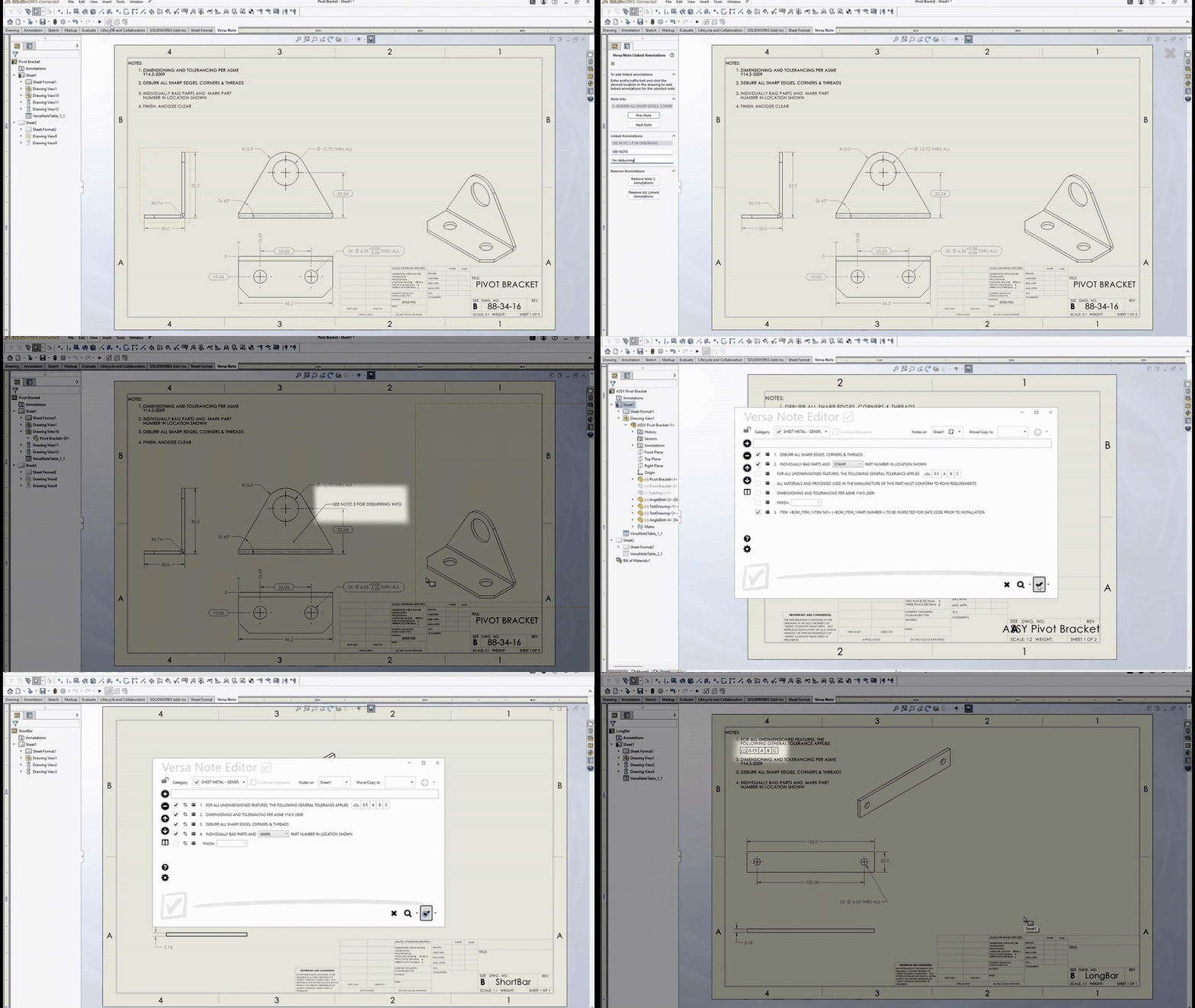
No need for designers to manually rewrite notes or painstakingly edit pre-defined blocks of notes. Instead, shared notes can include configurable elements like drop-down lists, input fields and linked values. This ensures consistency, while allowing designers the flexibility they need — all while reducing the chance of errors.
Balance control with design freedom — on your terms
Designers can add their own notes as needed, in addition to the shared template notes, giving them the flexibility to address unique design requirements. At the same time, administrators retain control over the level of customization permitted, ensuring that company standards aren’t bypassed unintentionally. This balance of governance and flexibility makes it easy to support special cases without compromising the overall consistency and integrity of your documentation.