
Yes!
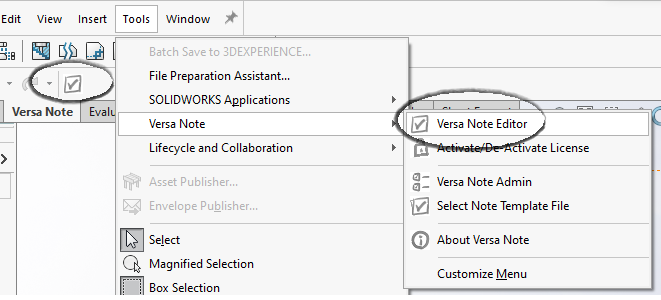
If you are new to Versa Note, the first step after installation is to open any SolidWorks document and launch the Versa Note Editor in SolidWorks. Select Tools -> Versa Note -> Versa Note Editor or select the Editor icon on the Versa Note tab in the SolidWorks Command Manager.
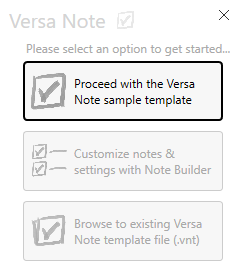
When prompted, select ‘Proceed with the Versa Note sample template’ to load the editor with a few basic notes for different part types.
Click the checkmark in the bottom right of the Versa Note Editor window to add the sample notes to your drawing.
For help getting started, check out our setup tips series of blog posts for detailed walkthroughs of the most common Versa Note setup steps. More information can also be found in the Versa Note User Guide.
Of course, we are here to help. Send us your notes, and we’ll send you a personalized Versa Note template configured to match your requirements.
And, if you get stuck, you can always contact us at support@cadinnovations.ca
